
Discover the 7 best unlimited video hosting platforms under $50. Find out affordable, ad-free solutions for creators, businesses, and educators to share videos seamlessly without breaking the budget.
Video has become one of the most powerful tools for businesses, educators, and creators to engage audiences.
But hosting those videos can quickly become expensive, especially when platforms impose strict limits or insert unwanted advertisements.
For professionals who need reliable, unlimited storage and seamless playback, finding a cost-effective solution is essential.
Fortunately, there are several unlimited video hosting platforms under $50 per month. These platforms still deliver seamless hosting services without compromising on quality or user experience.
So, in this post, I’ll walk you through the 7 best affordable and ad-free video hosting options, helping you choose the right platform to support your work while staying within budget.
Let’s begin.
TL;DR: Best Unlimited Video Hosting Platform Under $50
Here is how the best unlimited video hosting platform under $50 compares:
| Platform | AI Tools | Recording Length / Upload Limits | Video Quality / Quality Support | Pricing | Best For |
| Adilo Video Hosting | Auto-captions/subtitles | Unlimited uploads | Up to 4K quality | Free:Unlimited: $42/month billed annually | Best Unlimited Hosting Service |
| Cloudflare Stream | AI-generated captions | Unlimited (pay-as-you-go) | Adaptive streaming — supports HD / 1080p / high-bitrate (as input) over CDN | Starter bundle: Starting at $5/mo | Best Pay‑as‑you‑go Streaming |
| SproutVideo | Automated captions/subtitles | Unlimited/256 GB on single upload. | Ultra HD support — up to 4K, 8K, adaptive bitrate, 60 FPS playback | Free PlanSeed plan: $10/moSprout: $35/mo | Reliable Business Video Hosting |
| VdoCipher | AI-generated subtitles/captions | unlimited | Upload to HD/4K | Free trialLite plan: $49 | Secure DRM Streaming |
| JW Player Connatix | Auto-captions | unlimited/ 100GB on single upload | Support HD | JW Player offers entry-level pricing starting around $10/month | Affordable Video Player |
| Cincopa | AI-generated captions | 40 video upload/2GB on file upload for plan under $50 per month | Support HD | Free trial Plus: $25 per month (billed annually) | Multimedia Hosting and Galleries |
| Dacast | No | 2.4 TB per year/ 500 GB storagefor plan under $50 per month | Full 1080p HD | Free trialStarter: $39 per month (billed annually) | Professional Live and VOD Streaming |
Top 7 Affordable and Ad-free Video Hosting Platforms
Let’s dive in:
1. Adilo Video Hosting—Best Unlimited Hosting Service

Adilo is a cloud-based video hosting and marketing platform built for creators, course sellers, and businesses that need reliable streaming, security, and marketing tools without ad interruptions.
It positions itself as an unlimited video hosting platform under $50 (upload as many videos, audios, and podcasts as you like).
Other key features include ease of use, security, and marketing features for paid content and internal video libraries.
Adilo Feature Breakdown
- Unlimited uploads: Host unlimited videos, audio, and podcasts with no per-video caps.
- High-quality streaming: Adaptive playback for smooth viewing across devices.
- Custom channels: Create branded video channels and libraries for different audiences.
- Player customization: Control player appearance, CTA buttons, and playback settings.
- Monetization tools: Built-in options to sell or gate premium video content.
- AI captions & transcripts: Auto-generated captions to improve accessibility and SEO.
- Advanced security: Multi-layered protection against piracy, downloads, and unauthorized sharing.
- Analytics and engagement: Viewer metrics, watch time, and engagement tracking for marketing insights.
- Integrations: Connect with email tools, LMS platforms, and marketing stacks (varies by plan).
- Private and internal hosting: Secure internal video libraries for teams and training.
- Embed and sharing controls: Domain restrictions, embed options, and privacy settings.
- Support and onboarding: Documentation and customer support to help migration and setup.
Pros
- Truly unlimited storage: No per-video limits makes it ideal for creators scaling a library.
- Ad-free viewing: Keeps viewer experience professional and distraction-free.
- Strong security: Advanced anti-piracy and access controls protect paid content.
- Marketing-friendly: Built-in CTAs, analytics, and monetization help turn videos into revenue.
- Simple pricing model: Clear plans and a free plan to test before upgrading.
- Good for courses and teams: Features aimed at course creators and internal comms make it versatile.
- Accessible features: Auto-captions and transcripts improve reach and compliance.
Cons
- Internet dependent: Streaming and uploads require stable internet; offline access is limited and performance depends on connection quality.
Pricing
- Free:
- Unlimited: $42/month billed annually
2. Cloudflare Stream — Best Pay‑as‑you‑go Streaming
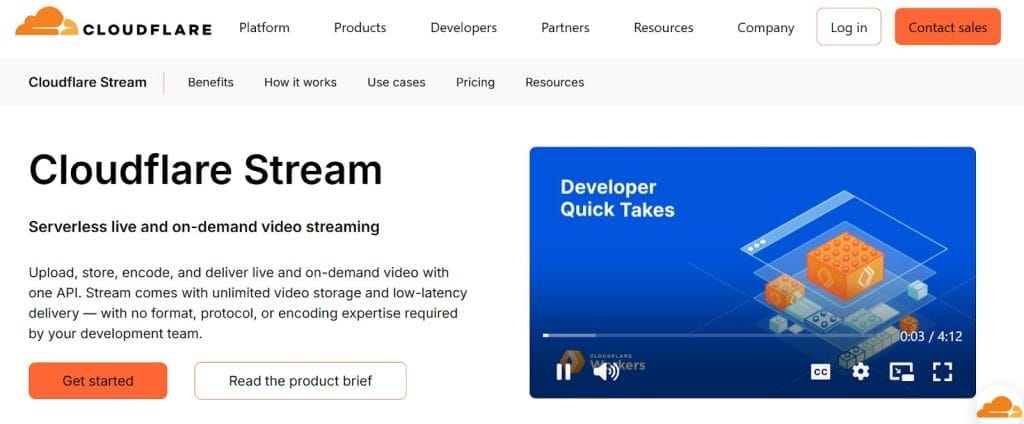
Cloudflare Stream is a video‑on‑demand and live streaming service built on Cloudflare’s global network.
It’s designed for teams and developers who want unlimited video hosting platforms under $50 with built-in encoding, CDN delivery, and API control for embedding and playback.
Pros
- Pay only for what you use: Storage and delivery are metered so small creators can stay under $50 by controlling minutes stored and delivered.
- Global CDN performance: Video is delivered from Cloudflare’s edge network for low latency and consistent playback across regions.
- No extra fee to take your files out: Bandwidth is included in the minutes delivered metric, simplifying cost estimates.
- Simple API and integrations: Strong developer tooling for programmatic uploads, playback, and transforms.
- Built‑in encoding and adaptive streaming: Automatic transcoding to multiple bitrates for smooth playback on different devices.
- Ad‑free playback by default: Viewer experience is smooth and professional.
- Live and VOD in one product: Same billing model for on‑demand and live streams, which simplifies planning.
Cons
- Usage unpredictability: Costs scale with minutes stored and delivered; a viral video can push you over $50 quickly unless you monitor usage closely.
- Less turnkey for non‑technical users: Best value is unlocked with some developer or ops knowledge to integrate APIs and optimize delivery.
- No unlimited flat plan: Cloudflare’s model is metered rather than an unlimited uploads under $50 flat plan, so it differs from some competitors.
Pricing
- Starter bundle: Starting at $5/mo
3. SproutVideo— Reliable Business Video Hosting

SproutVideo is a business-focused video hosting service built around secure, brandable playback, detailed viewer analytics, and easy embeds for websites and learning platforms.
It’s often recommended for companies that need control over privacy and player appearance while keeping costs predictable and modest.
Pros
- Business-grade analytics: Detailed metrics on plays, viewer locations, and engagement help you measure ROI and optimize content.
- Strong security and privacy controls: Domain whitelisting, password protection, and SSL embeds keep paid or internal content safe.
- Customizable player: Color, controls, and branding options let you match the player to your site and maintain a professional, ad‑free experience.
- Easy to use for non‑technical teams: Intuitive dashboard and straightforward upload/management workflows reduce onboarding friction.
- Good customer support and onboarding: Users report helpful support and guidance for setup and marketing integrations.
- Integrations for marketing and LMS: Works well with email tools and learning platforms so videos can be part of courses or campaigns.
- Scalable hosting plan: Multiple pricing levels let you pick a plan that fits your library size and bandwidth needs without surprise charges.
Cons
- Bandwidth limits on lower plan: Entry plans can cap monthly plays or bandwidth, so high-traffic videos may require an upgrade.
- No unlimited flat plan: Unlike some competitors that advertise unlimited uploads under a single low price, SproutVideo’s value depends on matching plan limits to your usage.
- Feature parity across plans: Some advanced features or higher quotas are reserved for higher plans, which can push costs above $50 if you scale quickly.
- Less developer‑centric: While easy for marketers and creators, teams wanting deep API customization may find other platforms more flexible.
Pricing
- Free Plan
- Seed plan: $10/month
- Sprout: $35/month
4. VdoCipher— Secure DRM Streaming

VdoCipher focuses on secure video streaming for paid courses, media businesses, and enterprises that need to prevent piracy and unauthorized downloads.
It combines Widevine/PlayReady DRM, dynamic watermarking, and CDN-backed playback to protect premium content while keeping the viewer experience ad‑free and professional.
Pros
- Enterprise‑grade DRM: Uses Widevine and other DRM systems to block direct downloads and unauthorized playback, which is essential for paid content creators.
- Dynamic watermarking and piracy tracking: Adds viewer‑specific watermarks and tools to trace leaks, deterring screen capture and sharing.
- Optimized playback for low bandwidth: Encoding and adaptive streaming help videos play smoothly even in constrained networks, improving reach in varied regions.
- Developer APIs and SDKs: Upload, player, and app SDKs let teams integrate secure playback into web and mobile apps with programmatic control.
- Analytics and access controls: Viewer analytics, domain restrictions, and authentication options help monetize and manage audiences effectively.
- Ad‑free viewing by design: The platform delivers a clean playback experience without third‑party ads, aligning with affordable and ad-free hosting options goals.
Cons
- Cost structure oriented to security, not unlimited flat pricing: Plans are bandwidth/storage based and geared toward secure delivery; if you need truly unlimited video hosting platforms under $50 per month, VdoCipher’s model may require careful planning to stay within that budget.
- Technical setup for advanced features: DRM, watermarking, and SDK integrations are powerful but may need developer support to implement correctly.
Pricing
- Free trial
- Lite plan: $49
5. JW Player —Affordable Video Player
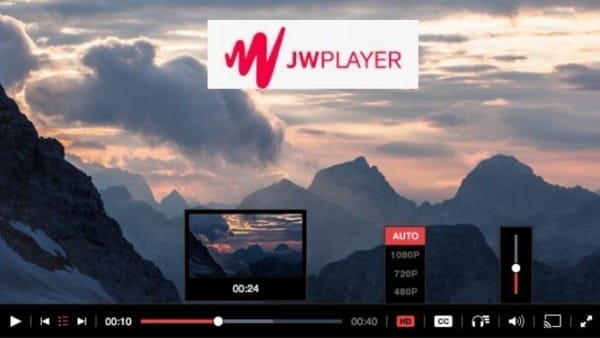
JW Player began as a lightweight embeddable player and has evolved into a full video platform for publishers, broadcasters, and developers.
It combines cloud hosting, live streaming, DRM, analytics, and ad monetization into a single product aimed at high-performance delivery and audience engagement.
Pros
- Flexible player and SDKs: Robust HTML5 player with mobile SDKs and customization for branded playback.
- Live and VOD in one platform: Support for both on‑demand libraries and live broadcasts simplifies operations.
- Monetization options: Built‑in ad insertion and monetization tools help publishers generate revenue.
- Performance and scale: Optimized delivery and player performance for large audiences and publishers.
- Analytics and video intelligence: Real‑time metrics and insights to measure engagement and ad performance.
- Developer friendly: APIs and integrations let teams automate uploads, transforms, and player behavior.
Cons
- Pricing can scale quickly: While entry pricing is low, advanced features (ad monetization, DRM, higher quotas) and heavy delivery needs can push monthly costs above the $50 mark.
- More publisher‑focused than course‑first: If your primary need is course delivery or LMS‑style gating, JW Player may require extra integrations.
- Feature fragmentation: Some enterprise features are gated behind higher plans or custom plans, so you may need to upgrade as you grow.
Pricing
- JW Player offers entry-level pricing starting around $10/month
6. Cincopa— Multimedia Hosting and Galleries
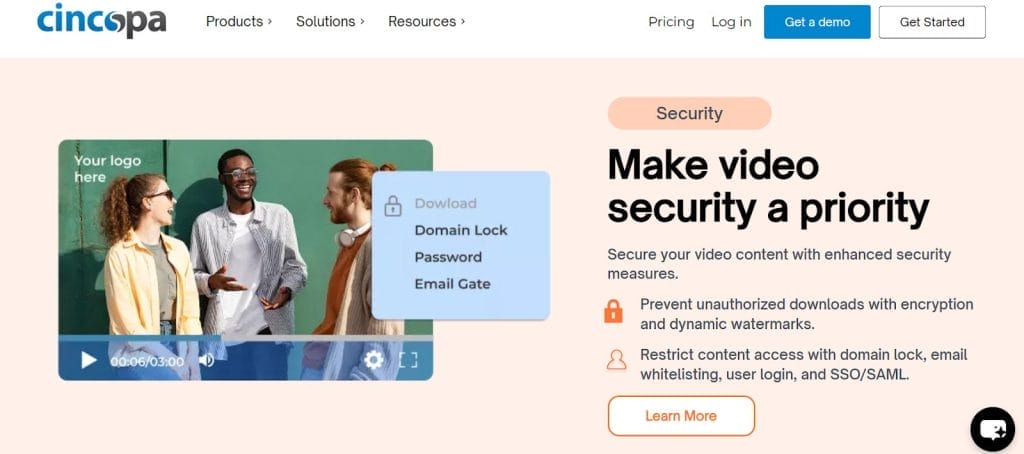
Cincopa is a multimedia hosting platform that combines video, audio, images, and podcast management with a wide range of gallery and player templates.
It’s aimed at marketers, educators, and businesses that want polished, embeddable media experiences without third‑party ads, plus tools for analytics and integrations.
This makes Cincopa a perfect fit for companies or businesses looking for multimedia unlimited video hosting platforms under $50.
Pros
- Multimedia in one place: Host video, audio, images, and podcasts together so you can build mixed galleries and media-rich pages.
- Gallery and player variety: Dozens of templates and themes let you present media as sliders, carousels, or video galleries without custom coding.
- Live streaming support: Built‑in live stream features let you run events from the same account as your VOD library.
- Integrations for marketing: Connectors for Slack, Zapier, Zoom, HubSpot, and CRM tools help you automate workflows and capture leads.
- Analytics and engagement tools: Heatmaps, view counts, and engagement metrics help you understand how viewers interact with content.
- Free trial available: A 30‑day trial lets you test templates, streaming, and analytics before committing.
- Ad‑free playback: Player experiences are clean and professional, aligning with affordable and ad-free hosting options goals.
Cons
- Lower plan limits: Entry plans limit the number of videos, images, and monthly traffic; growing libraries or high traffic can require upgrades.
- Pricing complexity across plans: Feature sets (AI transcripts, advanced CTAs, CRM integrations) are gated to higher plans, so you may need to move up as needs grow.
Pricing
- Free trial
- Plus: $25 per month (billed annually)
7. Dacast— Professional Live and VOD Streaming

Dacast is a unified live‑streaming and video‑on‑demand platform built for broadcasters, educators, and businesses that want reliable, white‑label streaming with predictable plans.
It combines live broadcasting, VOD hosting, embeddable HTML5 players, and analytics in one dashboard.
Its starter packages aimed at small audiences and annual billing options to keep monthly costs low.
Pros
- Broadcast‑grade live streaming: Full 1080p HD live support and unlimited concurrent viewers make it suitable for webinars and events.
- White‑label, ad‑free playback: Remove third‑party ads and brand the player for a professional viewer experience.
- Simple, predictable plans: Starter plan bundle bandwidth and storage so small teams can budget easily.
- Security and delivery controls: Domain restrictions, tokenized URLs, and SSL embeds help protect paid or private content.
- 24/7 support and analytics: Real‑time metrics and responsive support help troubleshoot live events and measure engagement.
Cons
- Bandwidth and storage caps on entry plans: Starter plans include fixed yearly bandwidth and storage allocations, so heavy or viral usage can require an upgrade.
- Event vs. ongoing needs: If you run frequent large events, a prepaid or higher plan may be more cost‑efficient than the entry plan.
- More broadcast than course‑first: While excellent for streaming, some course‑centric LMS features may need external integrations.
Pricing
- Free trial
- Starter: $39 per month (billed annually)
How to Choose the Best Unlimited Video Hosting Platform Under $50
Here is a checklist to choose the the best unlimited hosting platform that suits your goal:
- Estimate real usage: Calculate expected minutes stored and minutes delivered to avoid surprises.
- Prioritize the single most important feature: security, live quality, ease of use, or developer APIs.
- Test before committing: Use free trials or starter plans to validate playback quality and analytics in your audience regions.
- Watch for hidden limits: Check bandwidth, concurrent viewer caps, and feature gating across plans.
- Optimize assets: Trim, transcode, and choose sensible bitrates to keep costs low on metered plans.
- Compare support responsiveness: Check if the platform offers fast, reliable customer support—especially for live events or mission-critical content.
- Review integrations: Ensure the hosting platform works smoothly with your CMS, email tools, marketing stack, or LMS.
- Check content protection options: Look for DRM, watermarking, domain restrictions, or password protection if your videos require tighter control.
- Evaluate analytics depth: Confirm that the platform offers actionable insights like engagement heatmaps, drop-off points, device data, and viewer behavior tracking.
FAQs
Which of these platforms is best for a non‑technical creator?
Adilo and SproutVideo are the most user‑friendly for non‑technical creators. They emphasize easy uploads, branded players, and straightforward dashboards that keep playback ad‑free and professional.
Which option gives the most control over security and anti‑piracy?
VdoCipher focuses on DRM, dynamic watermarking, and anti‑download protections, making it the top pick when content protection is the priority.
How do pay‑as‑you‑go models compare to flat monthly plans?
Pay‑as‑you‑go (Cloudflare Stream) is flexible and cost‑efficient for low or variable traffic; flat plans give predictable costs and are easier to budget for steady libraries.
Which platform is best for live streaming events on a budget?
Dacast and Cincopa support live events with white‑label playback; Dacast is more broadcast‑focused and offers starter plans aimed at event use under $50 per month.
Do these platforms include analytics and marketing tools?
Yes.
Most unlimited video hosting platforms under $50 include viewer analytics, engagement metrics, and basic marketing integrations; SproutVideo and Cincopa are especially marketing‑friendly with heatmaps and CRM connectors.
Are there bandwidth or storage limits to watch for?
Many entry plans include bandwidth and storage caps; if you expect high traffic or viral reach, monitor usage and be ready to upgrade to avoid overage charges.
Final Thoughts on Unlimited Video Hosting Platforms Under $50
If you want affordable and ad-free hosting options, you can absolutely find a reliable solution among these platforms without exceeding $50 per month.
This is best especially for small libraries, courses, or occasional live events.
The trick is matching your expected traffic and security needs to the plan you pick, testing performance with your audience, and keeping an eye on delivered minutes.
Do that and you’ll get professional, ad‑free playback without overspending among the best unlimited video hosting platforms under $50.
Here is a quick recommendations:
- Best for nontechnical creators: Adilo and SproutVideo for simple setup, branded players, and straightforward dashboards.
- Best for anti‑piracy and paid courses: VdoCipher for DRM, watermarking, and leak tracing.
- Best for developer control and pay‑as‑you‑go: Cloudflare Stream for precise usage billing and global CDN delivery.
- Best for publishers and monetization: JW Player for a powerful player, live and VOD, and ad/monetization tools.
- Best for multimedia galleries and marketing: Cincopa for mixed media galleries, templates, and integrations.
- Best for professional live events: Dacast for broadcast‑grade live streaming and white‑label playback.