

Learn how to manage video content at scale with a video CMS. Discover best practices for metadata, storage, workflows, integrations, governance, and delivery.
As organizations produce more videos for marketing, training, customer support, and internal communication, managing those assets becomes increasingly complex. Files get duplicated, outdated versions circulate, approvals take longer, and valuable content becomes difficult to locate.
Without a structured system, these challenges can slow production, increase storage costs, and reduce the value of your video library.
However, the good news is that managing video content at scale doesn’t have to be overwhelming. A scalable video CMS software can prevent this operational disorder.
In this guide, we’ll walk through the essential practices every organization should follow to streamline video management as production grows.
Key Takeaways
- Develop a clear content strategy by defining categories, ownership, permissions, and retention policies before scaling video production
- Organize video assets with standardized metadata, tags, and naming conventions to improve searchability and reuse
- Select storage infrastructure based on asset access frequency, using hot, warm, and cold storage tiers to optimize costs
- Use a dedicated video CMS or DAM platform to centralize ingestion, version control, approvals, permissions, and publishing workflows.
- Separate production storage from video delivery by using a CDN or streaming platform for distribution and a CMS/DAM for internal asset management
- To reduce manual work, integrate the video management system with existing business applications, such as CRM, project management, and marketing tools
- Regularly monitor operational metrics, including asset retrieval time, approval speed, storage usage, and duplicate files, to improve efficiency and control costs
- Keep video libraries organized as content volume grows by implementing standardized governance, lifecycle automation, and version control
7 Key Ways to Manage Video Content At Scale
Let’s begin
1. Begin with a Content Strategy
While users consider video management purely technical and focus on file storage and compression, the challenges stem from unclear processes and responsibilities. Therefore, before implementing a video management system (VMS), you must define:
Categories
Create a consistent classification system based on video type, audience, campaign, department, region, platform, and production status. Support these categories with standardized metadata, tags, and naming conventions. By doing so, your team will quickly search, filter, and retrieve relevant assets when needed.
Ownership Model
Define clear responsibilities across the production lifecycle by identifying exact users and roles who can upload, edit, review, approve, publish, and archive content. Also, ensure that all assets have a designated owner and role-based permissions to prevent unauthorized changes.
Retention & Lifecycle Policy
Define timelines for content types that should remain active, published, or deleted. Otherwise, outdated versions and expired campaigns may clutter your library and increase storage costs.
2. Infrastructure Suitability
The right infrastructure determines how efficiently video assets can be stored, retrieved, managed, and distributed as production volume grows. An unsuitable setup may increase storage costs, slow down access, and create disconnected workflows. Therefore, you should select appropriate storage tiers and a platform based on asset volume, access frequency, workflow complexity, and distribution requirements.
Storage Tiers
Video files require considerable storage capacity, but not every asset needs the same retrieval speed. Storing all content in high-performance storage can lead to unnecessary costs as the video library expands. A tiered storage strategy assigns assets to different levels according to how frequently and quickly they must be accessed:
- Hot storage: Stores active projects, frequently reused assets, and recently published videos that require fast retrieval.
- Warm storage: Holds older campaigns, archived training materials, and other videos accessed occasionally.
- Cold or archive storage: Preserves raw footage, legal records, and rarely needed content at low cost.
Cloud services, for example, Amazon S3 and Azure Blob Storage, both provide multiple storage tiers, which further make it easier to move files according to asset age, access frequency, and retention requirements.
3. Video Management Platforms

As content volume grows, shared drives and basic cloud storage may no longer provide sufficient control over ingestion, search, permissions, and version history. As a result, assets might become difficult to locate. So, with a video content management system, you can easily centralize:
- Video uploading and ingestion
- Transcoding into standard formats
- Metadata and tagging
- Search and filtering
- Access permissions
- Review and approval workflows
- Version history
- Rights management
- Publishing and distribution
Platforms, particularly Brightcove, Vimeo Enterprise, and Kaltura, primarily help manage and deliver video content. On the other end, general digital asset management platforms like Bynder and Frontify may be more suitable when videos, images, documents, and other brand assets are managed together.
4. Make Videos Searchable With Metadata
Unlike written content, the information inside a video is not automatically searchable. File names alone rarely communicate the subject, speakers, usage rights, production status, or intended platform. As the library expands, relying on team members to remember file locations can leave valuable content technically stored but practically unusable.
So, create a metadata framework that must combine metadata of three types, such as:
- Descriptive: Title, topic, speakers, keywords, campaign, and audience
- Technical: File format, duration, resolution, and frame rate
- Structural: Chapters, scenes, timestamps, and related versions
A Video CMS may also use speech-to-text transcription, scene detection, and facial recognition techniques to auto-generate searchable information. But you must still review automated tags as they affect rights, compliance, or publishing decisions.
5. Separate Production Storage From Video Delivery
The infrastructure in which you store raw footage and production files must serve a different purpose from the infrastructure that you use to stream videos. To put it simply, production systems must prioritize editing access, file quality, version control, and internal collaboration.
On the other hand, delivery systems should prioritize playback speed, device compatibility, bandwidth efficiency, and audience reach.
What Should You Do?
Always use a content delivery network or dedicated streaming service to distribute published videos, while reserving the video CMS or DAM platform for internal management and production. By doing so, you would incur lower delivery costs, as storage becomes easier to track. Additionally, your systems would scale automatically based on their own workloads.
6. Integration with Existing Systems
Your VMS must connect with the official tools that you use throughout your content production and distribution journey. Without these integrations, you would have to download, rename, transfer, and re-upload files manually; the process may create duplicate assets and inconsistent records.
Depending on the workflow, it should at least integrate with:
- Project management platforms
- Learning management systems
- Content management systems
- Marketing automation tools
- Social media platforms
- Customer relationship management software
- Compliance and archiving systems
Evaluate whether the platform offers native integrations, APIs, and webhooks for the required systems. These connections can automate handoffs and keep asset information consistent across the video lifecycle.
7. Monitor System Performance
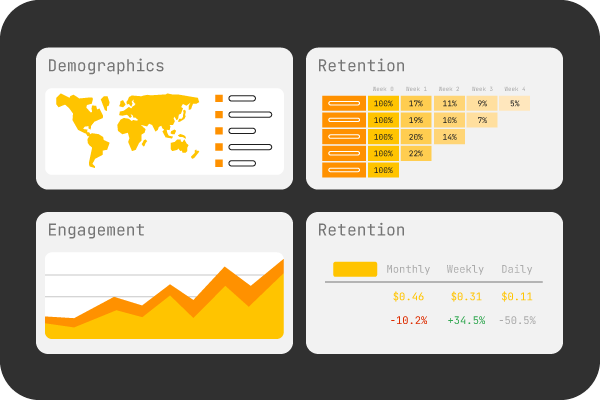
Managing video content at scale requires continuous evaluation because storage needs, audience demand, and production workflows change over time. A system that works for the current library may become expensive or inefficient as user volumes increase.
So, you must track the following indicators:
- Time required to locate an asset
- Average review and approval time
- Frequency of asset reuse
- Number of duplicate files
- Storage consumption by tier
- Transcoding success and processing time
- Rights or retention violations
- Delivery bandwidth and playback performance
These metrics can reveal whether the system is reducing manual work, improving asset reuse, and controlling costs. Organizations can then adjust metadata rules, storage policies, permissions, and workflows based on actual usage.
Frequently Asked Questions
What is the difference between a video CMS and a digital asset management system?
A video CMS focuses on managing and delivering video content, while a DAM manages videos alongside images, documents, and other digital assets.
When should an organization invest in video management software?
Your organization should consider an investment when video libraries become difficult to organize, collaborate on, or distribute efficiently.
Can small businesses benefit from a video management platform?
Yes, even small teams can improve collaboration, content organization, and future scalability with the right platform.
How can organizations protect sensitive video content from unauthorized access?
They should use role-based access controls, encryption, secure authentication, and activity logs to safeguard assets
What factors should be considered while selecting a VMS?
Make sure to evaluate scalability, security, integration capabilities, usability, deployment options, and total cost of ownership.
Final Thoughts on How To Manage Video Content At Scale
Scaling video production is more than creating more content. It’s about building a system that keeps every asset organized, accessible, and ready for reuse. From establishing governance and metadata standards to choosing the right storage infrastructure and integrating your workflows, every step contributes to a more efficient and sustainable video management process.
As your video library expands, investing in the right video CMS and following proven management practices will help your team spend less time searching for files and more time creating impactful content.
Video CMS software brings these elements into one system, helping teams locate, review, reuse, distribute, and govern assets as production volume grows.
With a scalable foundation in place, you can improve collaboration, reduce operational costs, and confidently support your organization’s growing video needs.